CÓMO HACER ECUACIONES DE 1º Y 2º GRADO EN EXCEL:
Hola.
Para la de 1º grado se pone la ecuación que tu quieras realizar y se pone una columna con el 1º resultado y otra con el segundo con una función:
=SI(F8=0;SI(H8=0;SI(J8=0;"NO EXISTEN COEFICIENTES";"ECUACIÓN INCOMPATIBLE");"Ecuación de primer grado");SI(((H8*H8)-(4*F8*J8))>=0;(-H8+RAIZ(H8*H8-4*F8*J8))/2*F8;"ECUACIÓN INDETERMINADA"))
F8: Valor de de x^2.
H8: Valor de x.
J8: Valor del número independiente.
Para la de 2º grado se pone la ecuación ue quieras realizar y se pone una columna para el resultado. Hay se pone la siguiente función:
=SI(D11=0;SI(F11=0;"No existen coeficientes";"Ecuación incompatible");(F11/D11))
D11: Valor de x.
F11: Valor del termino independiente.
martes

CÓMO HACER UNA FACTURA PARA UN OREDENADOR "A LA CARTA"
Hola,
Para empezar, en la primera hoja a la que vamos a llamar LISTA, en ella se va a poner las partes de un ordenador(tipos) y el precio de cada parte.
En la segunda llamada FACTURA, en la 1º columna se ponen las partes y los distintos tipos de partes que hay. Para poner el nombre de las distintas partes que hay se hace con una lista desplegable. para hacerla te vas a datos y en la opción de validación de datos en permitir se pone lista y en origen: =LISTA! y la casilla desde dónde va el principio de la columna de tus datos que quieres que salgan hasta dónde acaba y así sucesivamente con el resto de columnas. En la segunda columna se pone el precio de cada producto con una función de BUSCARV como enseño en la entrada anterior.
En otra columna se pone el precio total que es la suma de todos los precios de esos productos y en otra columna se pone el precio límite y esta factura avisará de que se ha superado el precio límite con una ventana emergente. Se hace:
Haces click en la columna del precio límite te vas a datos y en la opción de validar datos, en configuración en permitir se pone número entero, en datos menor que y en máximo la casilla del precio total.
Hola,
Para empezar, en la primera hoja a la que vamos a llamar LISTA, en ella se va a poner las partes de un ordenador(tipos) y el precio de cada parte.
En la segunda llamada FACTURA, en la 1º columna se ponen las partes y los distintos tipos de partes que hay. Para poner el nombre de las distintas partes que hay se hace con una lista desplegable. para hacerla te vas a datos y en la opción de validación de datos en permitir se pone lista y en origen: =LISTA! y la casilla desde dónde va el principio de la columna de tus datos que quieres que salgan hasta dónde acaba y así sucesivamente con el resto de columnas. En la segunda columna se pone el precio de cada producto con una función de BUSCARV como enseño en la entrada anterior.
En otra columna se pone el precio total que es la suma de todos los precios de esos productos y en otra columna se pone el precio límite y esta factura avisará de que se ha superado el precio límite con una ventana emergente. Se hace:
Haces click en la columna del precio límite te vas a datos y en la opción de validar datos, en configuración en permitir se pone número entero, en datos menor que y en máximo la casilla del precio total.
CÓMO HACER UNA FACTURA EN EXCEL
Hola
En esta nueva entrada voy a explicar como hacer una factura en excel.
Tendríamos que empezar por hacer en la primera hoja llamada clientes una tabla con los datos del cliente , en las columnas hay que poner un código,el nombre, la dirección, teléfono,etc.
En la segunda hoja llamada productos hay que poner el código introducido en la hija anterior, el nombre del producto que se quiere vender y el precio por unidad de cada producto.
En otra hoja llamada factura se pone en una columna el nombre del producto, en otra el código del producto, en otra la cantidad,en la otra el precio por unidad y el la última el precio total.
La columna del nombre del producto se hace con una función llamada BUSCARV, la función sería la siguiente:
=BUSCARV(FACTURA!D4;PRODUCTOS!B5:D14;2;FALSO)
D4 es la columna del código del producto.
B5:D4 es la tabla entera de la hoja de productos.
2 es el número de la columna que quieres que te aparezca.
En la columna de precio unitario se utiliza la función:
=BUSCARV(D4;PRODUCTOS!B5:D14;3;FALSO)
Es igual que la anterior pero cambia del número 2 al 3 porque ahora la columna que queremos es la 3º.
Para la columna del precio total se multiplica la columna de la cantidad de productos por la del precio por unidad.
Hola
En esta nueva entrada voy a explicar como hacer una factura en excel.
Tendríamos que empezar por hacer en la primera hoja llamada clientes una tabla con los datos del cliente , en las columnas hay que poner un código,el nombre, la dirección, teléfono,etc.
En la segunda hoja llamada productos hay que poner el código introducido en la hija anterior, el nombre del producto que se quiere vender y el precio por unidad de cada producto.
En otra hoja llamada factura se pone en una columna el nombre del producto, en otra el código del producto, en otra la cantidad,en la otra el precio por unidad y el la última el precio total.
La columna del nombre del producto se hace con una función llamada BUSCARV, la función sería la siguiente:
=BUSCARV(FACTURA!D4;PRODUCTOS!B5:D14;2;FALSO)
D4 es la columna del código del producto.
B5:D4 es la tabla entera de la hoja de productos.
2 es el número de la columna que quieres que te aparezca.
En la columna de precio unitario se utiliza la función:
=BUSCARV(D4;PRODUCTOS!B5:D14;3;FALSO)
Es igual que la anterior pero cambia del número 2 al 3 porque ahora la columna que queremos es la 3º.
Para la columna del precio total se multiplica la columna de la cantidad de productos por la del precio por unidad.
viernes
EL INTERNET DE LAS COSAS
Hola,
en esta entrada voy a hablar sobre el internet de las cosas:

Se podría definir
como un proyecto de desarrollo de Internet en el que los objetos cotidianos
tienen conectividad de red, lo que les permite enviar y recibir datos.
Hola,
en esta entrada voy a hablar sobre el internet de las cosas:
Hoy en día tenemos Smartphone, tablet, videoconsolas, televisiones
e incluso coches que se conectan a internet. Sin embargo, eso no es nada en
realidad si pensamos en la gran cantidad de cosas que hay en el mundo.
El Internet de las cosas va mucho más allá. Algunos
ejemplos de cosas conectadas a la red que podrían considerarse como parte de ese Internet de las cosas serían los electrodomésticos: Ya
existen frigoríficos, hornos y lavadoras que pueden ser controladas desde un
Smartphone gracias a la conexión a Internet con la que cuentan. Ese es solo el
primer paso de lo que está por llegar. Tanto a nivel doméstico como a nivel
profesional, el Internet de las cosas podría cambiar el mundo tal y como lo
conocemos hoy.
LA SOCIEDAD DEL CONOCIMIENTO
¡Hola!
Mi primer trabajo de este curso ha consistido en hacer un word en el que se recoja información sobre la sociedad del conocimiento.
En el explico las características de esta sociedad, algunas son:
· El uso intensivo de tecnologías de información y comunicación.
· La difusión acelerada de la información a través de redes.
· La utilización del capital humano en las actividades productivas .
¡Hola!
Mi primer trabajo de este curso ha consistido en hacer un word en el que se recoja información sobre la sociedad del conocimiento.
En el explico las características de esta sociedad, algunas son:
· El uso intensivo de tecnologías de información y comunicación.
· La difusión acelerada de la información a través de redes.
· La utilización del capital humano en las actividades productivas .
También explico la definición, los inconvenientes, la brechan digital y sus solucione, la ciberdelincuencia y como protegerse de ella y más puntos que podeis ver si accedeis al siguiente enlace:
domingo
How To Erase You´re Information Form Internet
 HELLO!!!!!!
On this post I´m going to talk about the steps to delete yourself from internet.
Stepes:
1. Delete accounts: iI's possible that you've joined up to more sites than you'll ever remember. This won't necessarily remove you from internet but it's a good start.You should delete yourself at list from the most famous social networks such as twitter, facebook and Youtube.
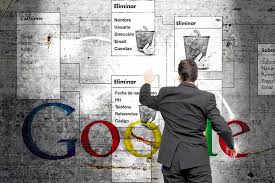
2.Close your personal sites: You sholu remove you´re blogs or yahoo groups that you have created or joined.
3. Check with your phone company to make sure you're not listed online. If you are, ask them to remove your details completely.
Hope it is usefull to you.
Bye!!!
On this post I´m going to talk about the steps to delete yourself from internet.
Stepes:
1. Delete accounts: iI's possible that you've joined up to more sites than you'll ever remember. This won't necessarily remove you from internet but it's a good start.You should delete yourself at list from the most famous social networks such as twitter, facebook and Youtube.
2.Close your personal sites: You sholu remove you´re blogs or yahoo groups that you have created or joined.
3. Check with your phone company to make sure you're not listed online. If you are, ask them to remove your details completely.
Hope it is usefull to you.
Bye!!!
VIDEO PAD

Hello!!!
This time me and a friend did a video with videopad.
Videopad is a free video editor that it´s esy to use and it
doesn´t takes you much time to edit a video. I did it
about climbing. We interviewed our friends about it and one of them fell while doing it, it was quite fun making this video. I recomend you to use it.
BYE!!
COMPUTING SECURITY
Hello!!
On my tenth proyect I did a computing security "presentation" on Word. On this presentation I
talk about what it is about, virus and their characteristics and types, safe navegation on internet,
security on internet trade... .
The link is bellow just in case that you want to see it. Hope you like.
https://drive.google.com/file/d/0By4N4qI-f252QUo5RkUwOUlDSm1PQlpWR1lreWQ1NC1nbXE0/edit?usp=sharing
BYE!!!
Hello!!
On my tenth proyect I did a computing security "presentation" on Word. On this presentation I
talk about what it is about, virus and their characteristics and types, safe navegation on internet,
security on internet trade... .
The link is bellow just in case that you want to see it. Hope you like.
https://drive.google.com/file/d/0By4N4qI-f252QUo5RkUwOUlDSm1PQlpWR1lreWQ1NC1nbXE0/edit?usp=sharing
BYE!!!
PREZZI
Hello!!
On my ninth proyect I did a presentation with prezzi. At first, it looks a bit
difficult to work with it but when you start using it you realize that it´s quite
easy andyou´re presentations look great. I did a social networks presentation
on it.
The link will be bellow and i really hope you like it.
Have a nice day!!!
http://prezi.com/quwiqp7fjxcf/social-networks/#
Hello!!
On my ninth proyect I did a presentation with prezzi. At first, it looks a bit
difficult to work with it but when you start using it you realize that it´s quite
easy andyou´re presentations look great. I did a social networks presentation
on it.
The link will be bellow and i really hope you like it.
Have a nice day!!!
http://prezi.com/quwiqp7fjxcf/social-networks/#
lunes
GIMP
GIMP
Hello!!!
My eighth project is again about eciting with gimp, this time I made a lemon with human face and I put it a mexican hat, if you want to see how it looks like clink the link that I'll post bellow and you'll see it:
https://drive.google.com/file/d/0By4N4qI-f252RjBnWGNJeGc5NzBKVXFtLVlFc2hSNUI2Y0Y0/edit?usp=sharing
I hope you liked it,
See you soon, bye.
Hello!!!
My eighth project is again about eciting with gimp, this time I made a lemon with human face and I put it a mexican hat, if you want to see how it looks like clink the link that I'll post bellow and you'll see it:
https://drive.google.com/file/d/0By4N4qI-f252RjBnWGNJeGc5NzBKVXFtLVlFc2hSNUI2Y0Y0/edit?usp=sharing
I hope you liked it,
See you soon, bye.
GIMP
Hello!!!
My seventh project is also about picture editing with gimp. This time I had to do something about Don Juan Tenorio because my highschool is going to interpret some scenes from this famous play, I 'll let you the link bellow just in case you' ll like to see it, I hope you like it :
https://drive.google.com/file/d/0By4N4qI-f252eFk5S3g2bWpSYXNxcGJkUzkzbDVNTXd1S2RV/edit?usp=sharing
See you later, bye.
https://drive.google.com/file/d/0By4N4qI-f252eFk5S3g2bWpSYXNxcGJkUzkzbDVNTXd1S2RV/edit?usp=sharing
See you later, bye.
GIMP
GIMP
Hello!!!
My sixth project is about picture editing with gimp, I took a picture of myself when I was about 5 years old and I've put myself in Berlin, wich is the place where I'm going on holiday for prom with my friends and classmates in two weeks, I hope you like it:
See you later, bye.
phubbing
PHUBBING
Hello!!
My fifth project will be about phubbing, I'll explain the meaning and tell you some information about where it cames from, I hope you like it:
Phubbing is the act of understimating the accompanying and pay more attention to mobile or other electronic devices than to the person. It began around 2007 with the birth of smarthphone.The promoters of these iniciatiatives ensure that almost 90% of teens prefer contact via text than face to face and restaurantsexperiences 36 cases of phubbing per dinner and they warn that this phenomenon could end up reducing social relations.

See you later, bye.
Hello!!
My fifth project will be about phubbing, I'll explain the meaning and tell you some information about where it cames from, I hope you like it:
Phubbing is the act of understimating the accompanying and pay more attention to mobile or other electronic devices than to the person. It began around 2007 with the birth of smarthphone.The promoters of these iniciatiatives ensure that almost 90% of teens prefer contact via text than face to face and restaurantsexperiences 36 cases of phubbing per dinner and they warn that this phenomenon could end up reducing social relations.
See you later, bye.
selfie
SELFIE
Hello!!
My fourth proyect is about selfies as you can see in the tittle, I'm going to splain to you what is a selfie althugh I'm sure you already know it because this word has became very popular in the last few years, I'm also going to splain you where this word cames from and I' ll post a selfie.
A selfie is a self portrait:
The typical selfie is a person holding the mobile phone or camera through out his arm pointing at himself, the photo includes the arm, leaving no doud this is a self portrait. There is also a self portrait mode with the camera pointing to a mirror, even some versions includes a reflection of flash. As they have become more popular in socila networks, selfies have become more sophisticated, to the point that some don't include the camera or phone that took the picture. The most commonly motivation behind a selfie are:
Raise yourselflesteem.
As a message for a specific person.
For fun.
To catch the attention of other people.
The first selfie of the history: The image I'm going to post bellow is from a photography enthusiast named Robert Cornelius, whose family had a local photography in Philadelphia, USA,where he took the first selfie in1839. At that time, time capture images took some minutes, which allowed the young Robert to activate the mechanism and then pose in front of the lens without any help.

I hope you liked it,
See you later bye.
Hello!!
My fourth proyect is about selfies as you can see in the tittle, I'm going to splain to you what is a selfie althugh I'm sure you already know it because this word has became very popular in the last few years, I'm also going to splain you where this word cames from and I' ll post a selfie.
A selfie is a self portrait:
The typical selfie is a person holding the mobile phone or camera through out his arm pointing at himself, the photo includes the arm, leaving no doud this is a self portrait. There is also a self portrait mode with the camera pointing to a mirror, even some versions includes a reflection of flash. As they have become more popular in socila networks, selfies have become more sophisticated, to the point that some don't include the camera or phone that took the picture. The most commonly motivation behind a selfie are:
Raise yourselflesteem.
As a message for a specific person.
For fun.
To catch the attention of other people.
The first selfie of the history: The image I'm going to post bellow is from a photography enthusiast named Robert Cornelius, whose family had a local photography in Philadelphia, USA,where he took the first selfie in1839. At that time, time capture images took some minutes, which allowed the young Robert to activate the mechanism and then pose in front of the lens without any help.
I hope you liked it,
See you later bye.
Suscribirse a:
Entradas (Atom)